Badminton video analysis, in your pocket
Badminton Sensei is a badminton video analysis app that does the watching for you. Film a match on your iPhone or import one from Photos, and on-device AI tracks the shuttle, names every shot, clocks smashes, calls lines, scores the match and builds the highlights. Nothing is uploaded.
- Film live or import
- Batch import + trim
- Analysed on the iPhone
- Free
Watching your games back takes forever
Every coach says the same thing: film yourself. So you do. Then the video sits in Photos, an hour long, with the warm-up at the start and twenty minutes of picking up shuttles in the middle. Finding the three rallies that matter means scrubbing back and forth with a thumb. Counting your unforced errors means a notepad and a lot of pausing.
Desktop badminton video analysis software exists, built for coaches and performance analysts, and the online services that do it for you usually want your footage uploaded to their servers. For a club player who just wants to know why they keep losing the third game, both are overkill.
The fix
Let the phone watch it first
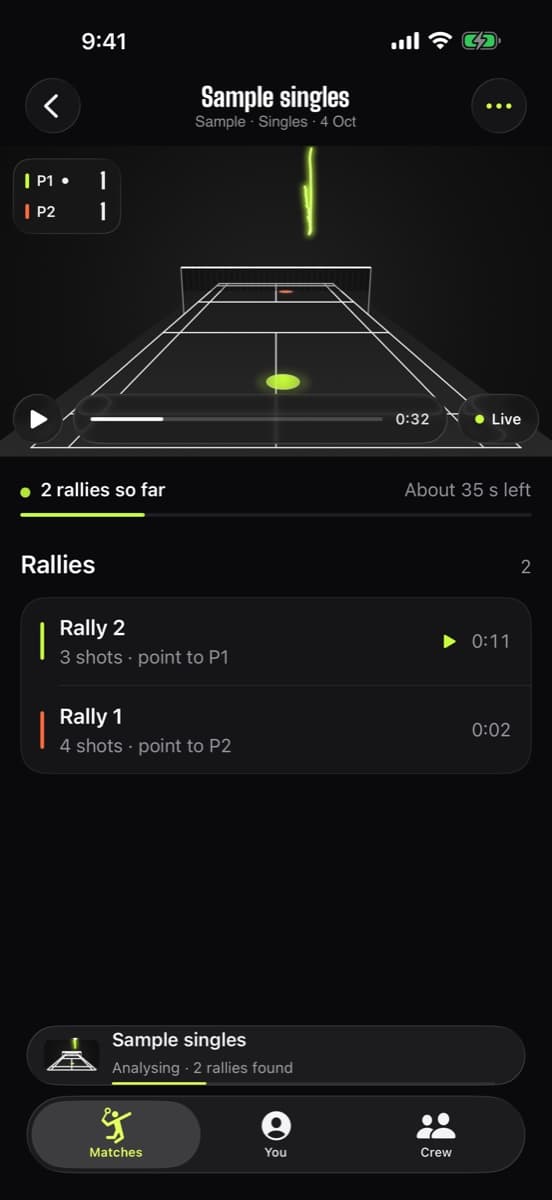
Sensei goes through the whole video on your iPhone, finds every rally, and hands you a match you can jump around: each point, each shot, each smash, already labelled. You only watch the bits worth watching.
One video in, a whole match out
Here's what you get from a single video of a singles or doubles match.
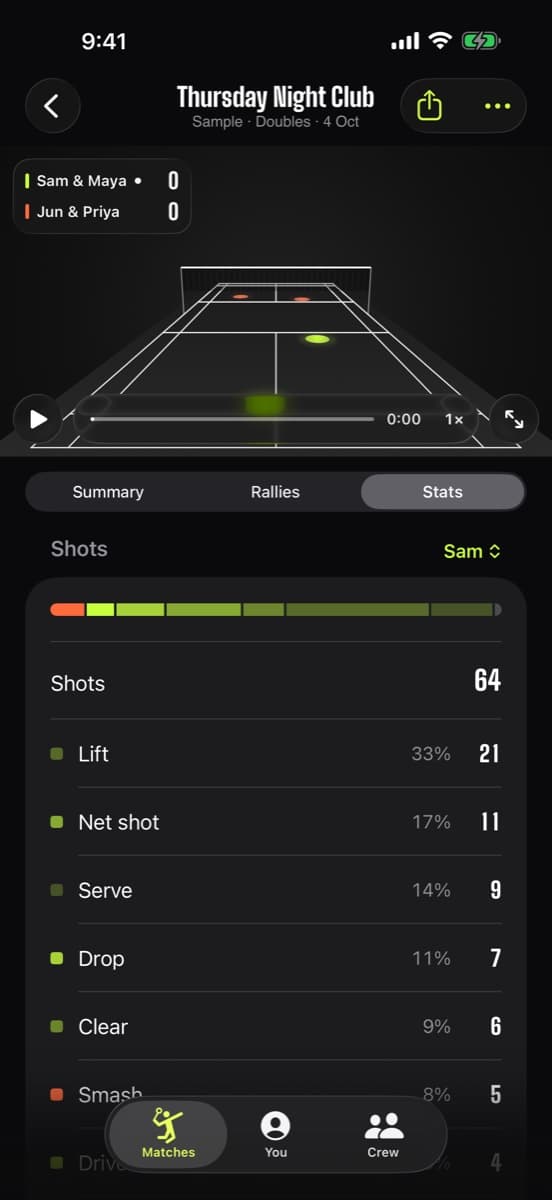
Every shot named
Smash, clear, drop, net shot, drive, lift and serve, for each player.
Where it lands
Landing spots for each player's shots and how much court they cover.
Coach's tips
Patterns in plain language, like how deep your lifts went.
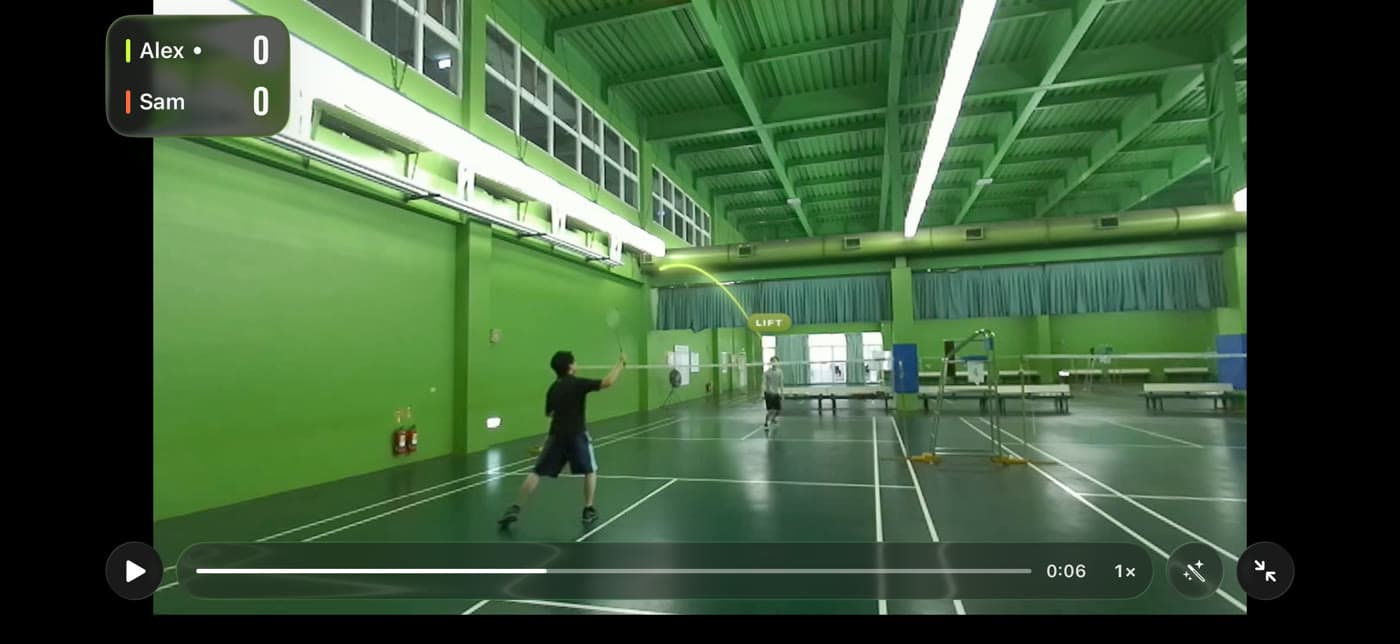
A club hall. An iPhone. That's it.
No special camera, no sensors, no markers on the floor. This is a frame from ordinary gym footage with the tracer and the shot label drawn by the app.
Three ways to analyse a match
| Question | Badminton Sensei | Typing scores into a scoreboard app | Reviewing video by hand |
|---|---|---|---|
| Time after the match | None: analysis runs in the background | None, but you only get a score | Often longer than the match itself |
| Finding a rally | Tap it in the rally list | Not possible | Scrub and search |
| Shot types | Named for every hit | No | Tally them yourself |
| Smash speed | Every smash, with an error range | No | Frame-count with a calculator |
| Line calls | In, out or “Too close” | No | Freeze-frame and argue |
| Trends over a season | Charts, bests, Coach's tips | Win/loss only | Only if you keep a spreadsheet |
| Where your video goes | Stays on your iPhone | No video involved | Wherever you put it |
How badminton AI video analysis works on an iPhone
Three kinds of vision run over your video, one after another, all on the phone. First, court detection finds the lines so the app can turn pixels into meters; if a corner is out of shot, you drag four corners onto the court once. Second, a shuttle tracker finds the shuttle in every frame. Sensei uses TrackNetV3, an open-source network built specifically for shuttlecocks, running through Apple's Core ML. Third, Apple Vision follows the players, so each shot belongs to someone and court coverage can be measured.
Put together, the shuttle's path, the court map and the players give the rest: where each hit happened and where it landed, what kind of shot it was, how fast a smash left the racket, whether it was in, and who won the rally. Every number that comes from a single camera carries an uncertainty, and the app shows it rather than hiding it.
Badminton match analysis: what to look at first
Data is only useful if it changes what you do next session. A good first pass through a match in Sensei:
- Your shot mix. Are you lifting far more than you smash? Lots of lifts can mean you're on the back foot.
- How points end. Jump to the rallies you lost and look at the last two shots. Patterns show up quickly.
- Rally length. Do you win the short rallies and lose the long ones? That's a fitness or patience story.
- Where shots land. If your clears land mid-court, the landing map will show it plainly.
For a deeper method, read how to analyse your own badminton video, which works whether you use an app or a notepad.
Badminton video analysis software vs. an app
Professional analysis tools are built for coaches tagging events across many matches, usually on a laptop. They're powerful and flexible, and they expect you to do the tagging. Sensei is the opposite trade: it doesn't let you design your own tagging scheme, but it does the tagging itself, on the phone you filmed with, in the background while you get on with your evening. For club and casual players, that trade is usually the right one.
Already filmed it? Import it.
Got a season of matches sitting in Photos? Import one, or select a whole batch. Trim the warm-up, then put the phone down: analysis continues in the background, and a local notification tells you when each match is ready.
- One video or a batch from Photos
- Trim off the warm-up first
- Background analysis, notification when ready
Your footage never uploads
Video analysis apps often mean sending your matches to someone else's computer. Sensei does every frame on your iPhone and makes no network requests, so there's nowhere for your video to go. Details in the privacy policy.
Analysed on your iPhone
Core ML and Apple Vision do the work on the phone in your hand.
No account, no server
Nothing to sign up for and nowhere for your videos to be sent.
No ads, no tracking
No analytics or advertising SDKs. The App Store label is “Data Not Collected”.
Works with no signal
Basement hall, school gym, holiday court: it doesn't need the internet.
Analyse your first match
- Step 1
Import or film
Pick a video from Photos, or film live with the phone behind a baseline, a few feet up.
- Step 2
Trim and check
Cut the warm-up. If the court isn't found automatically, drag the four corners onto the lines.
- Step 3
Get notified
Lock your phone. You'll get a notification when the match is analysed and ready to explore.
Filming new matches? The filming setup guide has an interactive planner, and how to film badminton covers mounts and settings.
Frequently asked questions
Is there a free badminton video analysis app?
Yes. Badminton Sensei is free on iPhone with every feature included: shuttle tracking, shot recognition, smash speed, line calls, scoring, stats and highlights. No ads or in-app purchases.
Can it analyse videos I've already recorded?
Yes. Import one video or a batch from your Photos library and trim off the warm-up. Videos filmed from behind a baseline with the whole court in view give the best results.
Does it work for doubles?
Yes. Singles or doubles is detected from the number of players, and scoring, lines and stats follow that format.
Does it work on Android or a computer?
No. Badminton Sensei is an iPhone app and needs iOS 26 or later. There's no Android, Mac or web version.
Are my videos uploaded for AI analysis?
No. All analysis runs on your iPhone with Core ML and Apple Vision. The app has no account and makes no network requests.
How long does analysis take?
It depends on the length of the video and your iPhone. It carries on in the background, resumes by itself if interrupted, and a local notification tells you when it's done.
What camera angle works best?
Behind one baseline, centred, a few feet up, with both baselines and both sidelines in view. Side-on angles make depth and line calls much harder.
Stop guessing. Start seeing.
Turn the videos in your camera roll into answers. Badminton Sensei traces every shuttle, clocks your smashes, calls the lines and keeps the score, all on your iPhone.
 Coming soon to theApp StoreFree · iPhone with iOS 26 or later
- On-device AICore ML tracking, nothing uploaded
- No account, no adsEvery feature, every match, free
- Works with no signalAny gym, any court