In, out, or too close to call
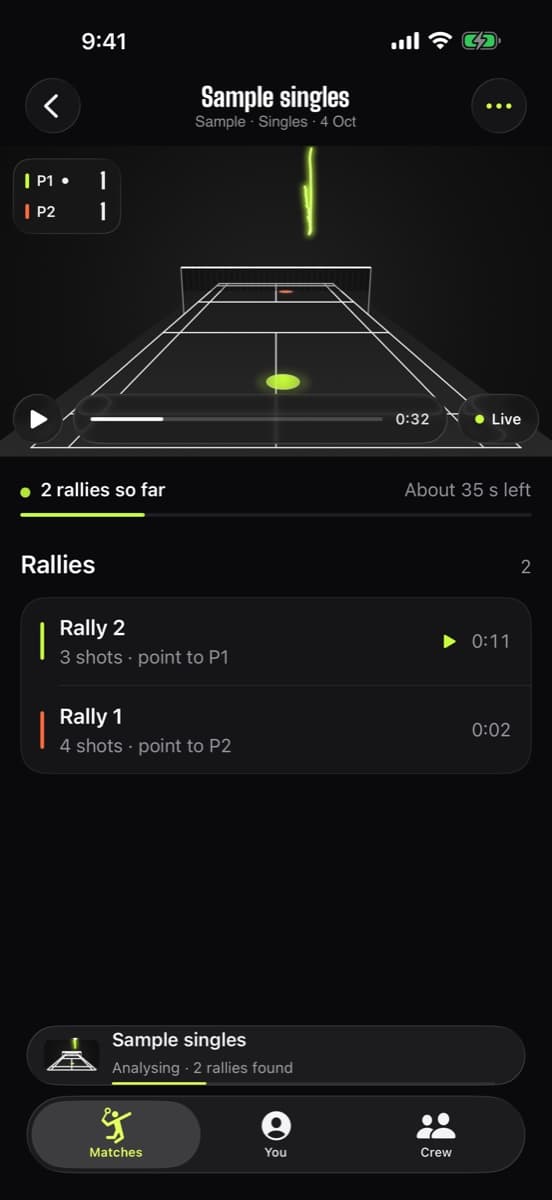
Badminton line calls from your own iPhone: Sensei maps the court, places every landing on it and calls it in or out. When a shuttle lands too close for one camera to be sure, it says “Too close” instead of guessing.
- Singles and doubles lines
- Uncertainty on every call
- Never guesses
How it decides in or out
The rule is simple: the line is in. The hard part is knowing exactly where a shuttle touched down from a phone at the end of the court.
- Step 1
Map the court
Sensei finds the court lines in the video. If it can't, you drag four corners onto the outer lines once.
- Step 2
Find the landing
The shuttle's flight is tracked down to the frame where it hits the floor, and that spot is placed on a court map in meters.
- Step 3
Measure the margin
Each landing has an uncertainty: small near the camera, bigger at the far end, where one pixel covers more floor.
- Step 4
Call it honestly
Clearly inside: In. Clearly outside: Out. Line inside the margin: “Too close”, and you decide, like on court.
You be the shuttle
Tap the court to land a shuttle. Land some right on a line, near and far, and move the phone higher to see the margin shrink.
Line call simulator
Illustrative margins, not the app's calibration
Camera icon = your iPhone behind the near baseline
Game
Landing
iPhone height
Tap anywhere on the court to land a shuttle. Try right on a line, near and far.
- In
- Out
- Too close
- Circle = uncertainty band (illustrative)
A call you can trust
A professional review system uses many calibrated cameras around the court. Your iPhone is one camera at one end. It can still tell you a lot: most landings are nowhere near a line, and those calls are easy. But for the shuttle that kisses the far sideline, a single view can't always separate “two centimetres in” from “two centimetres out”.
Picking one anyway would be easy. Sensei won't. Every call carries an uncertainty, and if the line falls inside it you get “Too close”, so a wrong call never quietly changes your score. Points it wasn't sure about are collected under “Points to confirm” so you can check them in a minute.
Want the background? Read how line calls work, from line judges to Hawk-Eye, and the rules for which lines are in or out in singles, doubles and on the serve.
Calls that fix the score
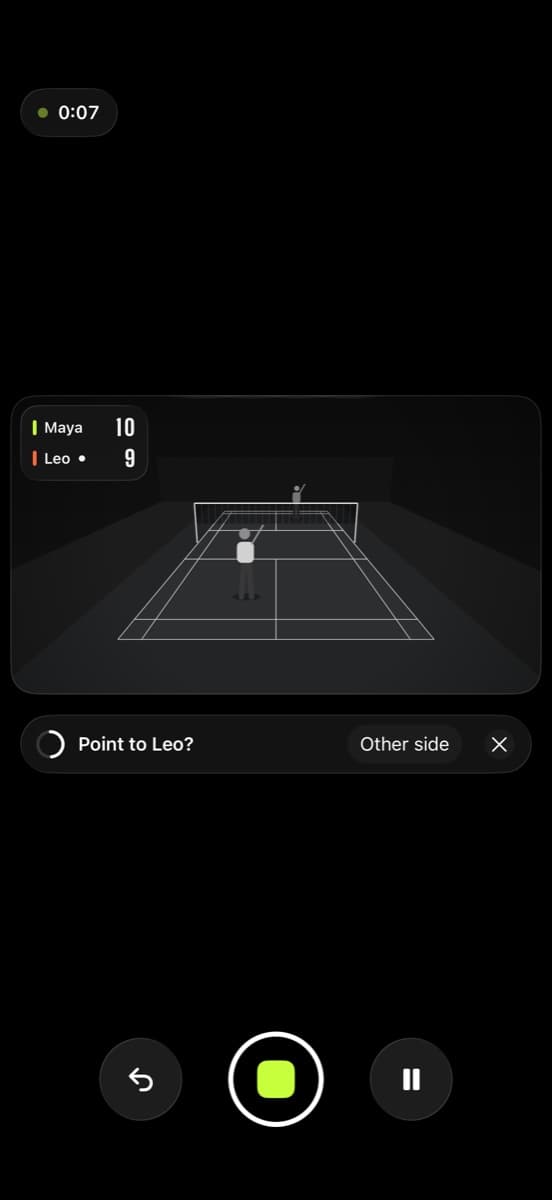
Line calls aren't a party trick on their own: they decide who won the rally. That's why they flow straight into the score, and why anything you change re-scores the whole match.
- Calls feed straight into auto scoring
- Unsure points flagged to confirm
- Change any point in one tap
Honest limits
One camera has a margin
The far end of the court is harder to read than the near end. That's exactly why “Too close” exists.
The court has to be mapped
If the lines aren't detected and the corners aren't marked, landings can't be placed or called.
Hidden landings
A shuttle that lands behind a player, or outside the frame, can't be called from the video.
Not an umpire
Line calls are for practice and friendly games, not official officiating or anything with real consequences.
Frequently asked questions
Can a phone really call badminton lines?
For most landings, yes. Badminton Sensei maps the court and places each landing on it. When a landing is within the margin a single camera can measure, it says “Too close” rather than guessing.
Is the line in or out in badminton?
In. Under the BWF Laws of Badminton, a shuttle landing on a line counts as in. Sensei uses the same rule.
Is it like Hawk-Eye?
It's the same idea at a club scale, with one iPhone instead of many calibrated cameras. That's why it shows its uncertainty and won't make calls it can't back up.
Does it know singles and doubles lines?
Yes. Singles or doubles is detected from the video, and landings are called against the lines for that format. If the format is wrong, switch it with one tap and the match is re-scored for the right format.
What do I do with a “Too close” call?
Decide it the way you would on court, then set the point's winner in one tap. The whole match re-scores.
How do I get fewer “Too close” calls?
Film from higher up, behind a baseline and centred, with the whole court in view, and use a higher frame rate.
Stop guessing. Start seeing.
End the “was that out?” arguments. Badminton Sensei traces every shuttle, clocks your smashes, calls the lines and keeps the score, all on your iPhone.
 Coming soon to theApp StoreFree · iPhone with iOS 26 or later
- On-device AICore ML tracking, nothing uploaded
- No account, no adsEvery feature, every match, free
- Works with no signalAny gym, any court