Highlights worth sharing
A badminton highlights maker that already knows your best moments. Studio turns the night's top rallies and fastest smashes into reels with the tracer, slow motion, music and stats, in 9:16, 4:5, 16:9 or 1:1, up to 4K.
- Picks the moments for you
- Slow motion + tracer
- Original music included
- Blur faces before sharing
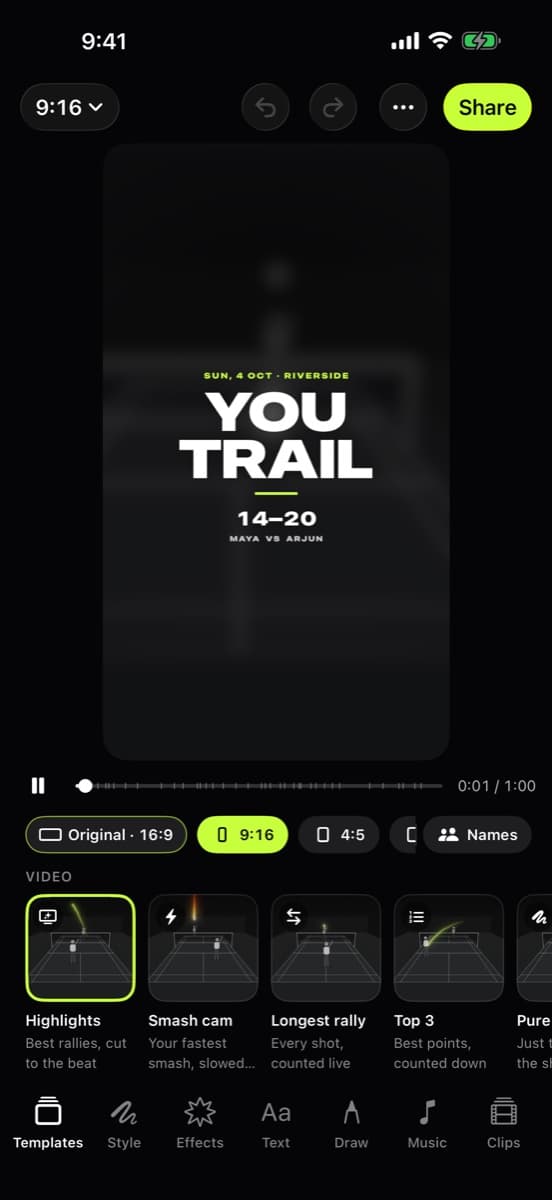
A reel in three taps
No timeline scrubbing, no hunting for the good bits. The analysis already knows where they are.
- Step 1
Sensei finds the moments
Longest rallies, fastest smashes, game points: the analysis already ranked them while it was tracking.
- Step 2
Pick a template
Highlights, Smash cam, Longest rally, Top 3 and more, each with the tracer, slow motion and stats where they fit.
- Step 3
Choose a shape and share
Vertical for stories, 4:5 for feeds, 16:9 for YouTube, square for chats. Share or save to Photos.
One frame, four shapes
A real frame from a club hall with the tracer. Pick an export shape and slide the crop to see what each format keeps.
Aspect ratio explorer
Real footage, filmed on an iPhone
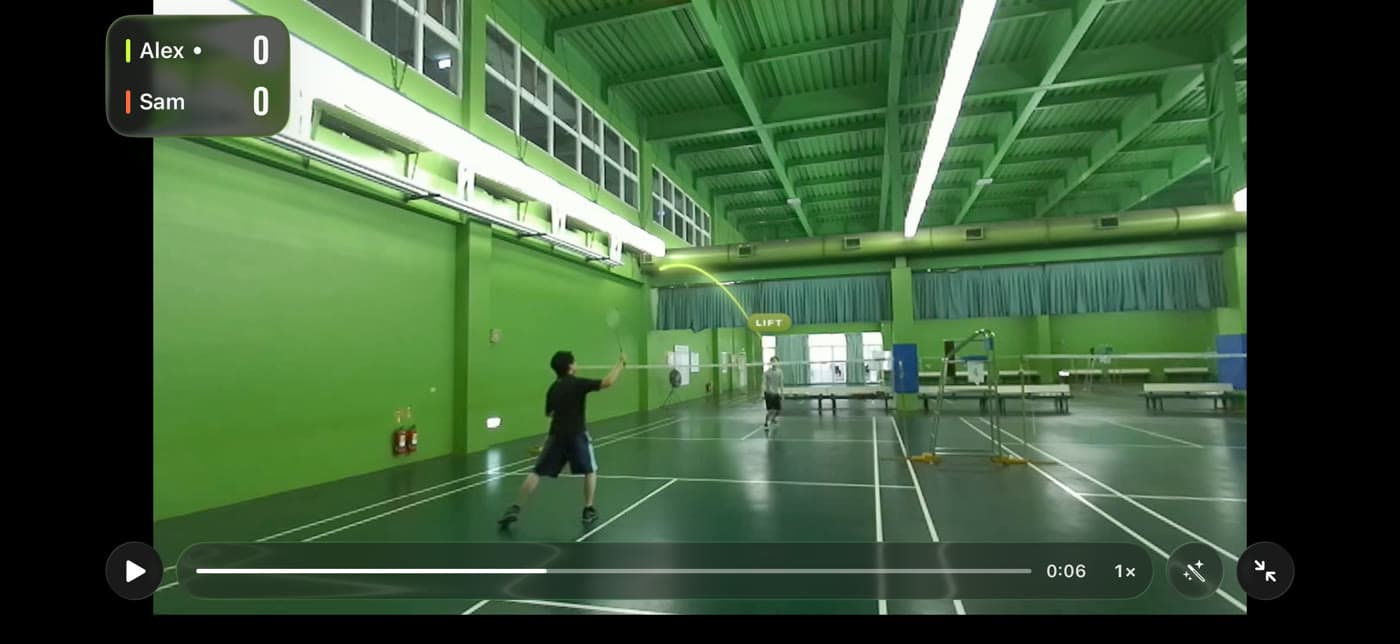
9:16
Stories, Reels, TikTok, Shorts
A real frame from the app with its tracer. Studio exports reels in all four shapes, up to 4K.
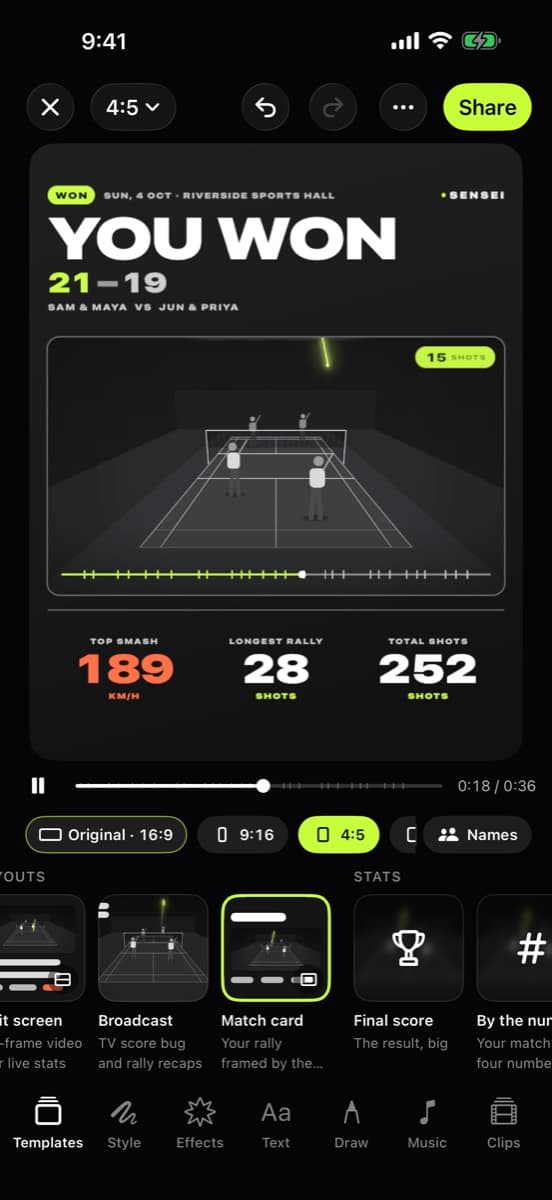
The night, on one card
Not everything needs to be a video. Share cards put the result, your top smash and the longest rally on one bold image, ready for the group chat. Speeds follow your km/h or mph setting.
- Match card with the score and key stats
- Smash speed card for your fastest one
- Rally of the night
Everything a reel needs
Best rallies
Reels built from the longest and best rallies of the match, cut and ordered for you.
Fastest smashes
Smash cam replays your quickest smash in slow motion with its speed.
Original music
Original tracks bundled with the app, ready to cut to the beat.
Stats overlays
Score, shot counts and speeds on screen, styled like a broadcast.
Blur or pixelate faces
Hide faces before you share, for kids, strangers or anyone who'd rather not be in it.
Up to 4K
Export in 9:16, 4:5, 16:9 or 1:1, up to 4K, then share or save to Photos.
Honest limits
Reels need the video
If you deleted a match's video to save space, its stats stay but highlight reels can't be made from it.
Quality in, quality out
A 4K export of a dim, shaky 720p clip is still a dim, shaky clip. Film steady and well lit.
You choose what leaves
Nothing is posted for you. Sharing happens through the iOS share sheet, to the app or person you pick.
Check before you share
Face blurring helps, but it's up to you to check who appears and get their OK.
Frequently asked questions
How do I make a badminton highlight reel?
Analyse a match in Badminton Sensei, open Studio, pick a template such as Highlights or Smash cam and choose a shape. The app already knows the best rallies and fastest smashes, so the reel builds itself.
What formats can I export?
9:16 for stories and short video, 4:5 for feed posts, 16:9 for YouTube and TV, and 1:1 square, up to 4K.
Can I add music?
Yes. Studio includes original music bundled with the app. You can also mute the game audio.
Can I hide people's faces?
Yes. Blur or pixelate faces before you share. Faces are only used for this, on your iPhone, and never to identify anyone.
Is it a full badminton video editor?
It's a focused one: templates, shapes, slow motion, music, stats, text and drawing on top of your analysed match. For frame-by-frame editing of other footage, use a general video editor.
Does it upload my videos to make the reel?
No. Reels are rendered on your iPhone. They only leave it if you share or save them.
Stop guessing. Start seeing.
Your best rally deserves more than “you had to be there”. Badminton Sensei traces every shuttle, clocks your smashes, calls the lines and keeps the score, all on your iPhone.
 Coming soon to theApp StoreFree · iPhone with iOS 26 or later
- On-device AICore ML tracking, nothing uploaded
- No account, no adsEvery feature, every match, free
- Works with no signalAny gym, any court