Every shuttle, traced. Every shot, named.
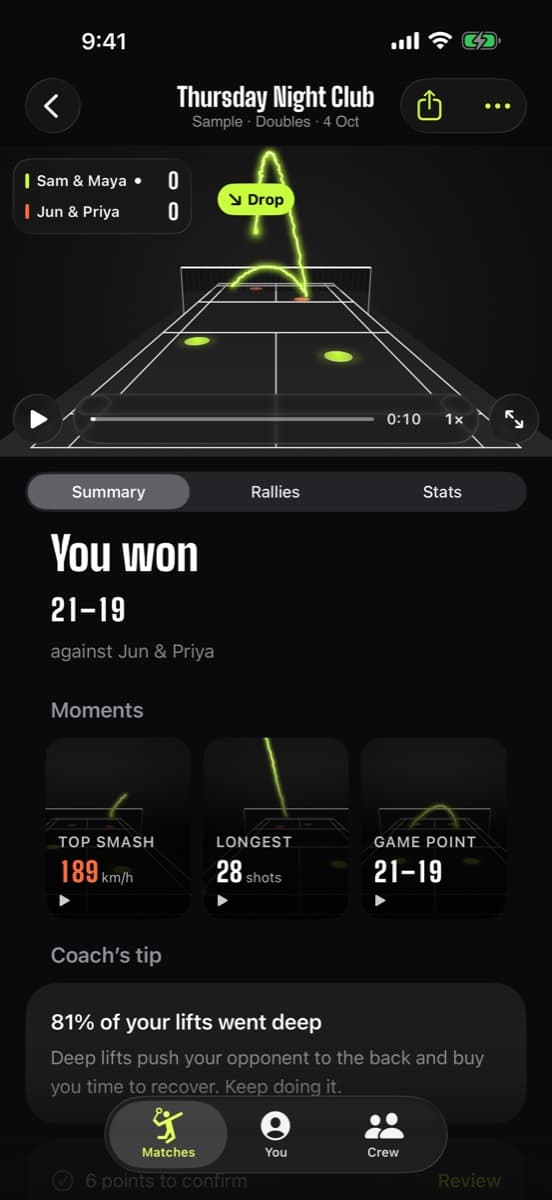
Badminton shuttle tracking that runs on your iPhone: an on-device neural network follows the shuttle frame by frame, draws a glowing tracer on your own video and names every shot, from serve to smash.
- TrackNetV3 on Core ML
- 7 shot types
- Works on imported videos
- No upload
From pixels to shot names
A shuttlecock is tiny, fast and often a blur. Here is how Sensei keeps up with it, all on the phone.
- Step 1
Film or import
Prop your iPhone behind a baseline and film, or import a match from Photos. Any frame rate works; 120 fps is best.
- Step 2
Find the shuttle
TrackNetV3, a neural network built for shuttlecock tracking, looks at short runs of frames to spot the shuttle even when it's blurred.
- Step 3
Draw the flight
The positions are joined into a smooth path and painted back onto your video as a glowing tracer.
- Step 4
Name every shot
Each hit is split out and classified using the flight path and where the players are: smash, clear, drop, net shot, drive, lift or serve.
Watch a rally get traced
A simulated rally, drawn the way the app draws yours. Play it, slow it down, or tap a shot to jump to it.
Interactive tracer
Tap a shot to replay it
A simulated rally drawn the way the app draws yours: the dashed line is the shuttle's shadow on the floor, the glow is the tracer as the camera sees it. In the app the tracer is painted onto your own video.
On your video, not a cartoon
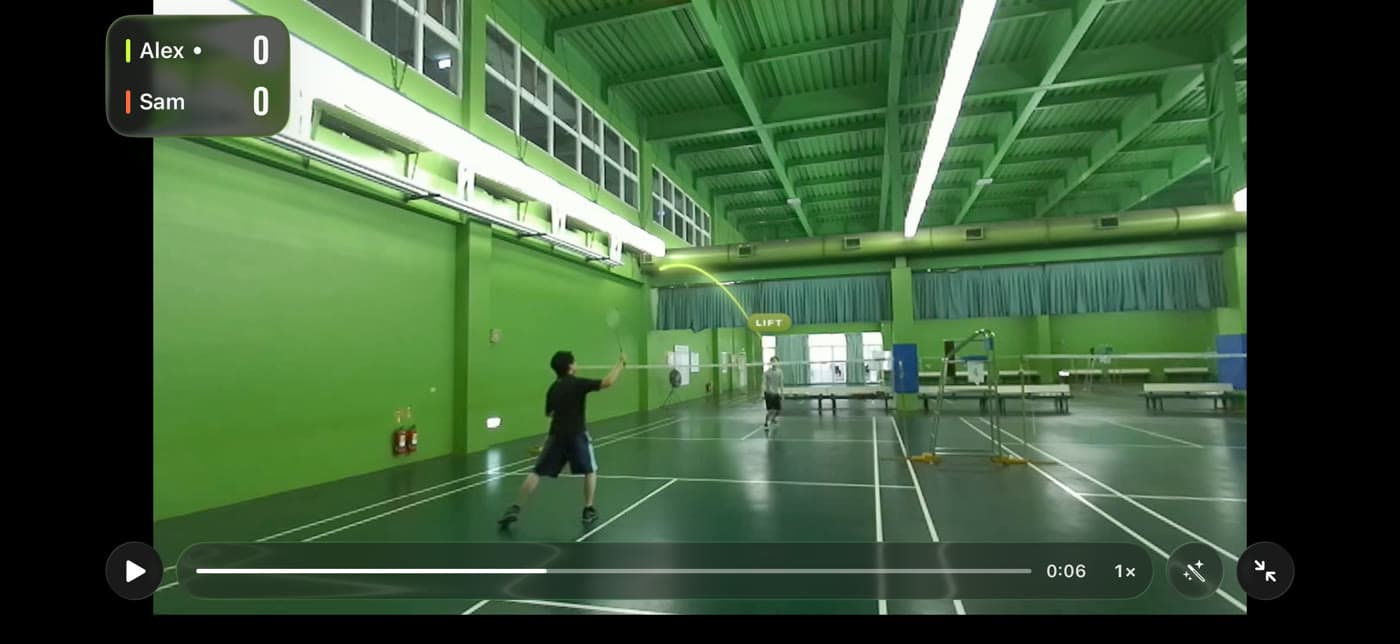
This is a frame from a real club hall, filmed on an iPhone: the tracer follows the lift over the net and the shot is labelled as it happens.
Seven shots, named
Badminton shot recognition is what turns a tracer into a story: the app labels each hit so your stats can show what you actually play.
Serve
Low or high, the shot that starts every rally.
Clear
High and deep to the back of the court.
Drop
Soft from the back, falling just past the net.
Smash
Steep and fast, the point-winner. Clocked too.
Net shot
A delicate touch from net to net.
Drive
Flat and quick, net height, side to side.
Lift
From low near the net up to the back.
New to the names? Read every badminton shot, explained.
Your game, in numbers
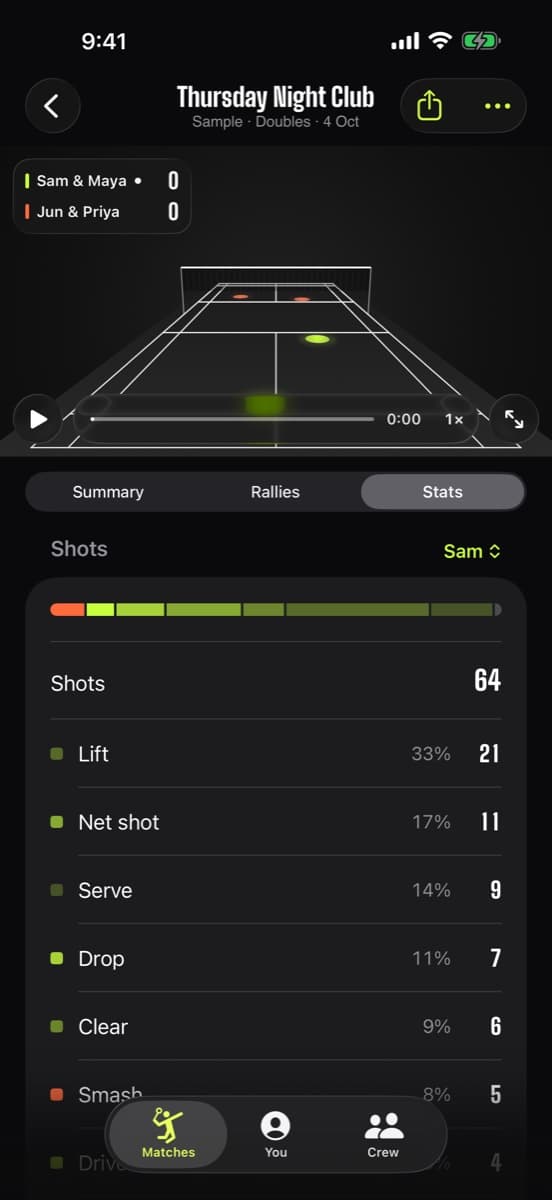
Once every shot has a name, the match becomes data. See how often you lift versus smash, how long your rallies run, where your shots land, and how Coach's tips turn patterns into plain advice, like whether your lifts are going deep enough.
- Shot mix per player
- Rally lengths and longest rally
- Where shots land and court coverage
Honest limits
It needs to see the shuttle
Very dark halls, a shuttle against bright windows, or a phone that moves mid-rally make tracking harder. Keep the camera still with the whole court in view.
Shot names are estimates
Shots that sit between two types (a fast drop, a flat clear) can be labelled either way. You can correct points, and the stats follow.
One camera, one view
Depth is inferred from a single angle. Filming from behind a baseline, a few feet up, gives the clearest read.
Not for officiating
It's for practice, review and fun, not a replacement for an umpire in official matches.
Frequently asked questions
How does badminton shuttle tracking work on a phone?
Badminton Sensei runs TrackNetV3, an open-source neural network designed for shuttlecock tracking, through Apple's Core ML on your iPhone. It finds the shuttle in each frame, links the positions into a flight path and draws it as a tracer.
Which shots does it recognise?
Seven: smash, clear, drop, net shot, drive, lift and serve. Each hit in a rally is labelled, and the counts feed your shot mix and stats.
Can I track shuttles in videos I already filmed?
Yes. Import one video or a batch from Photos, trim off the warm-up, and analysis runs in the background. A local notification tells you when it's ready.
Is my video uploaded for tracking?
No. Tracking, shot recognition and everything else run on the iPhone. The app has no server and makes no network requests.
What frame rate should I film at?
Any frame rate works for tracking. 120 fps gives the shuttle more positions per second, which helps fast shots and makes smash speeds verified.
Does it work for doubles?
Yes. Singles and doubles are both supported, and the format is detected from the number of players in the video.
Stop guessing. Start seeing.
See your own rallies traced. Badminton Sensei traces every shuttle, clocks your smashes, calls the lines and keeps the score, all on your iPhone.
 Coming soon to theApp StoreFree · iPhone with iOS 26 or later
- On-device AICore ML tracking, nothing uploaded
- No account, no adsEvery feature, every match, free
- Works with no signalAny gym, any court